
moteus-r5
I now have the honor introducing the next moteus controller to the mjbots product line, the moteus-r5:
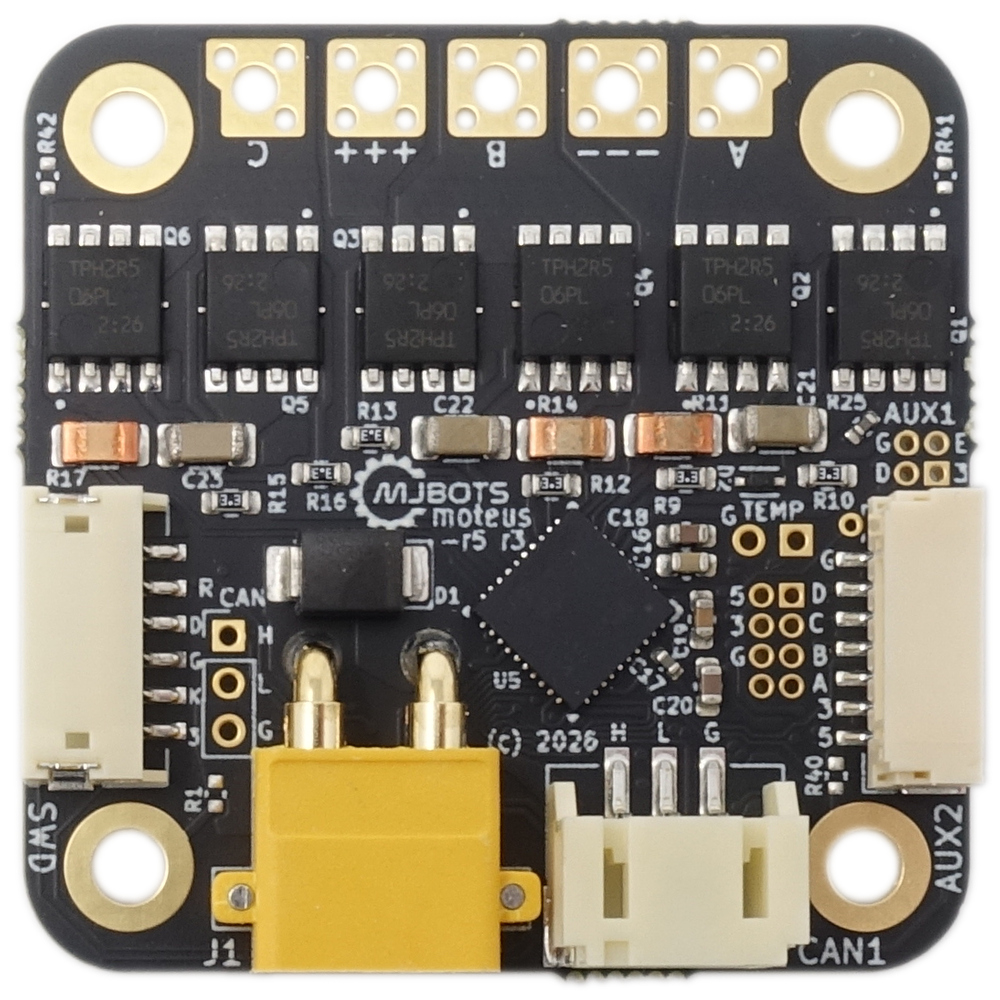
The moteus-r5 is the spiritual successor to the wildly popular moteus-r4, first released all the way back in 2020. The moteus-r5 takes all that we’ve learned about motor control in the intervening 6 years, and applies it to the same size, voltage, and output current class.
Comparisons
When I compared the moteus-r5 to the moteus-r4 above, I do mean “class”, because the moteus-r5 improves on the r4 across most of those axes, along with improving robustness, IO, and hall effect compatibility. The rough breakdown:
| moteus-r5 | moteus-r4 | |
|---|---|---|
| Size | 40x40x9mm | 46x53x12mm |
| Mass | 10.0g | 14.2g |
| Mounting | NEMA-17 | Custom |
| Voltage | 10-34V | 10-42V |
| Peak Output Current | 100A | 100A |
| Peak Power (default PWM) | 600W @ 26V | 900W @ 30V |
| Continuous Output (uncooled) | 15A | 12A |
| Continuous Output (max cooling) | 42A | 32A |
| I/O | Full aux2 with 5V/SPI/I2C/Hall | 4-pin ABS, 3.3V only |
| Hall sensors | Software controlled hall filter | N/A |
| CAN Common Mode | +-58V | +-12V |
| Daisy Chain Power/CAN | No | Yes |
To summarize, the controller is smaller, lighter, has a higher effective output current and has the full suite of I/O capabilities the moteus-c1 has plus has software configurable hall effect filter capacitors.
The biggest downsides versus the moteus-r4 is that the input voltage range is slightly smaller, 34V vs 42V, and there are no built-in daisy chain connectors. When you want multiple on one bus, you have the same options as with the moteus-c1. There are auxiliary pads for DC power input and CAN that can be used for daisy chaining, or the external junction PCBs for Amass XT30 or JST PH3 can be used. The default peak output power is slightly lower, although that is not often a metric of concern. Increasing the PWM rate to 30kHz gets you the same r4 power limit and current output.
Like the moteus-x1, the moteus-r5 is rated to operate at a higher board temperature. Not all the way up to 100C, but to 85C. Thus it includes 140C rated diametric sense magnets and PCCF mounting brackets and desk stands for the developer kit. As with the moteus-x1, when 3D printing brackets you will want to either lower the maximum temperature with:
servo.fault_temperature 65
or print your brackets with a filament that can handle the temperature like PCCF.
Accessories
Like other moteus-controllers, we have the usual accessories:
Availability
The r5 and its accessories are available today at mjbots.com: